Introduction and Scope
This guide is designed to assist authors in the process of submitting proposals and posters through the Open Journal Systems (OJS) platform. OJS is a publishing management system widely used by academic journals to facilitate the receipt, review, editing, and publication of scientific articles in an efficient and transparent manner.
In this guide, you will find step-by-step instructions for creating an account, preparing and submitting your proposal, and tracking the editorial process. The goal is to provide authors with a practical tool that allows them to make the most of the platform’s features, ensuring a smooth experience and compliance with the requirements set by the organizing committee.
We invite you to review each section of this manual before and during the submission process, and to contact the organizing team with any questions or concerns: conia@uca.edu.sv
1. User Registration and Author Profile

To submit your proposals and posters, you must first create an account on the platform. Complete the registration form with your personal and academic information. Once registered, you will be able to access your author profile, where you can update your information and manage your submissions.
2. Logging In and Navigating the Dashboard
Log in with your email address and password. Once you've logged in, go to “Control Panel” by clicking on your username in the upper-right corner of the screen. From there, you can manage your shipments, view notifications, and update your profile. The control panel is intuitive and divided into sections for easy navigation.
3. New Submission
To submit a new manuscript, select the “New Submission” option in your dashboard. This will start the guided process to register your submission on the platform.

Section Selection: Choose the journal section that corresponds to your submission (e.g., Process Engineering, Networks, Systems, and Communications, etc.). This selection is important to ensure your work is reviewed by the appropriate editorial team.
Checklist and Acceptance of Policies: Review the list of requirements and editorial policies (format, originality, ethics, etc.) and confirm that your submission complies with them. This acceptance is mandatory to proceed with the submission.
Select the “Submit as” option: 1) Oral presentation 2) Poster 3) Oral presentation and poster
Metadata entry (title, abstract, authors, keywords): Complete the descriptive information for your submission: title, abstract, list of authors with their affiliations, keywords, and any other requested information to facilitate indexing and searching.
File upload (PDF, DOC, figures, supplementary data): Upload the files for your proposal in PDF or Word format, as well as any images, tables, or additional data accompanying your work. You can drag and drop the files or select them from your computer.
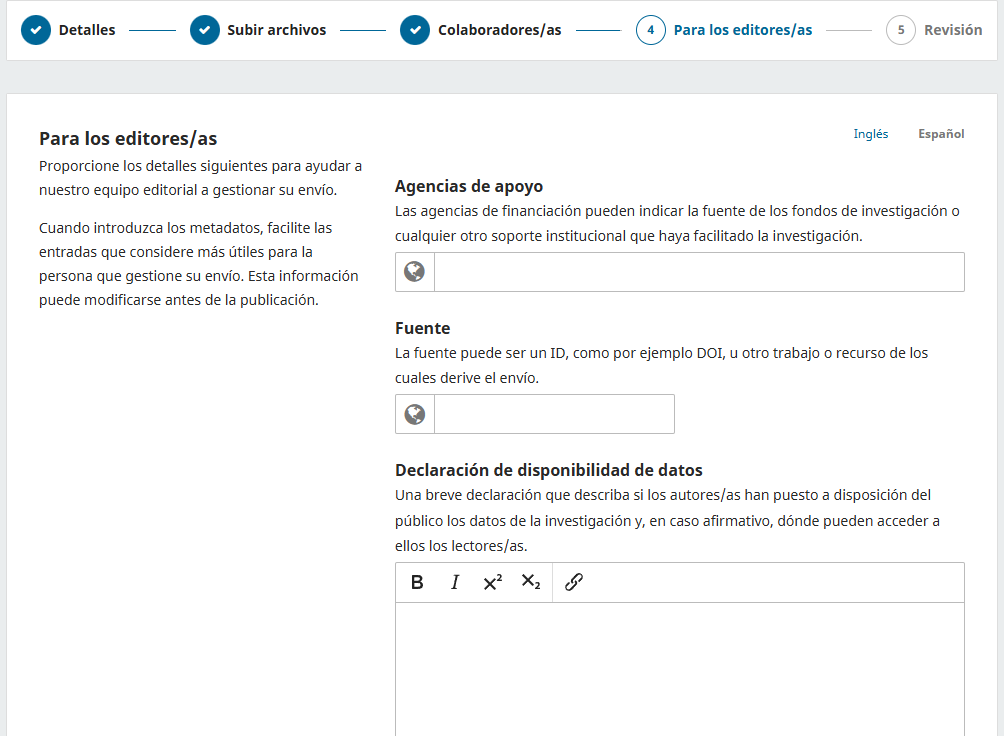
Scientific management data: Authors are asked to indicate the name of the funding agency in the metadata field labeled “Supporting Agencies” when proposals result from funded research.
In the “Source” field, include the DOI or link to the original publication if the submission is derived from another work, such as a book or a graduate thesis.
In the “Data Availability Statement,” include a brief description of the type of dataset generated by the research, if applicable. The research community is encouraged to act transparently regarding data. If the dataset is public and has been deposited in a repository or platform, include the corresponding citation or access link.
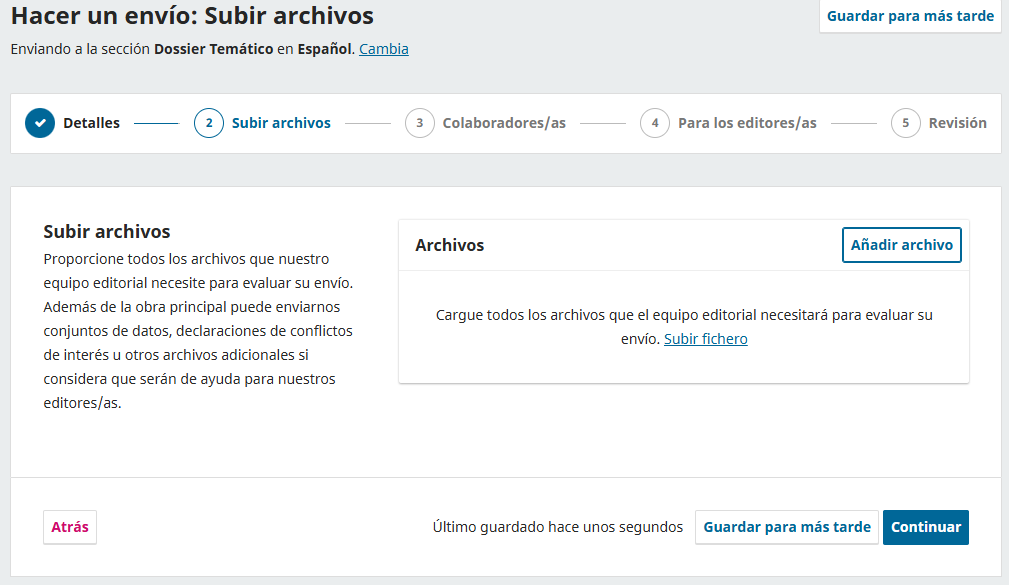
Uploading Files (Document, Figures, Supplementary Data): Upload your proposal files in PDF or Word format, as well as any images, tables, or additional data accompanying your work. You can drag and drop the files or select them from your computer.
Confirmation and completion of submission: Review all the information and uploaded files. If everything is correct, confirm and finalize the submission. You will receive a notification confirming that your submission has been received.
4. Submission Management:
From your dashboard, you can view all the proposals you have submitted, with access to the complete history and details for each one.
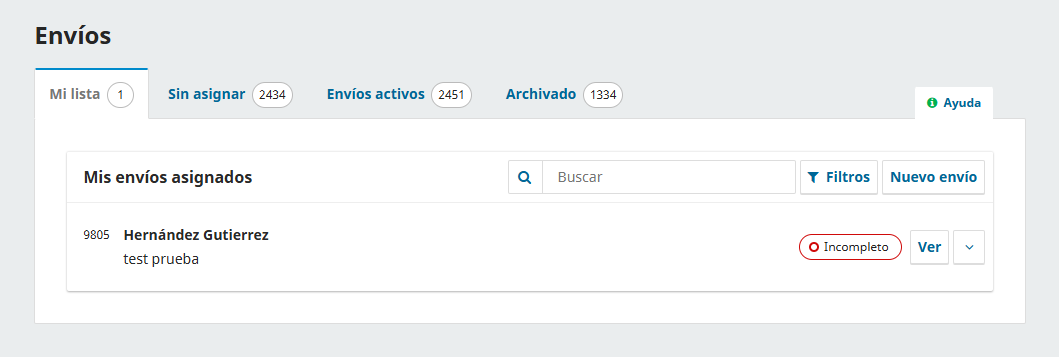
Viewing and tracking status: You can check the current status of each submission (under review, being edited, approved, rejected) and receive notifications about progress or requests by clicking “View.”
Access to submission history:
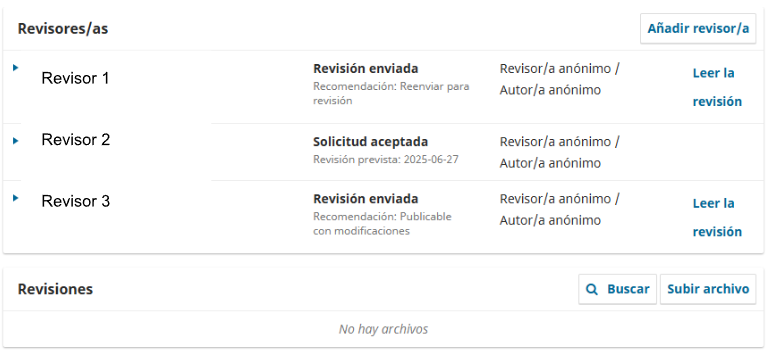
5. Review process: When your submission is being evaluated, you’ll receive notifications with comments and decisions from the editorial team and reviewers.
Review notifications: Carefully review the comments provided and any requests for corrections or clarifications.
How to respond to reviewers and editors: Use the platform to submit responses to the comments received, clarify questions, and upload revised versions of your submission.
Uploading revised files: Upload the new versions of your submission and supplementary documents as indicated in the review process to continue with the evaluation.
Bibliography:
Aquino Rocha, Joaquin & Bautista, Edson Gaston & Iñiguez Calveti, Daysi. (2021). Implementation of the Open Journal Systems (OJS) platform in the Journal Boliviano de Ciencias (JBC). Abec Meeting. https://doi.org/10.21452/abecmeeting2021.8.
Hernández Gutierrez, K. A. (2025). Guide to the Editorial Workflow with Open Journal Systems (OJS): Portal for Journals and Serials. Zenodo. https://doi.org/10.5281/zenodo.14847607
Public Knowledge Project. (2023). Editorial Workflow. Retrieved [2024], https://docs.pkp.sfu.ca/learning-ojs/en/editorial-workflow